Title Field
A title field is typically a field with strong identification or uniqueness, used to represent a record. By viewing the title field, users should be able to quickly recognize the record. A title field must be set before the form can be saved.
Examples:
- In a Customer worksheet, the Customer Name field is commonly used as the title field (identifiable)
- In an Order worksheet, the Order Number field is often used as the title field (unique)
How to Set a Title Field
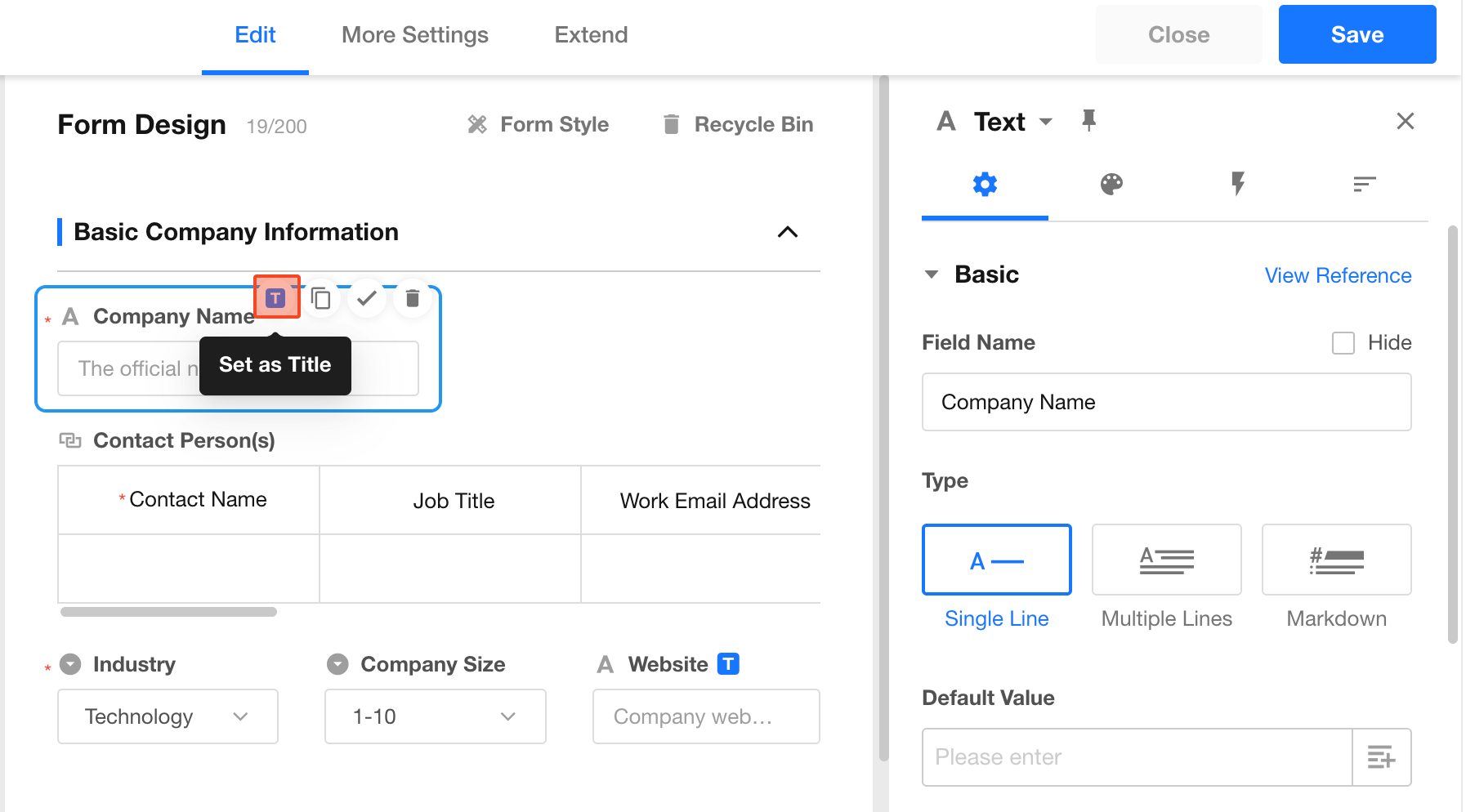
When designing a form, select an appropriate field and click the “T” icon in the top-right corner of the field to set it as the title field.
You can also configure it under Form Style.
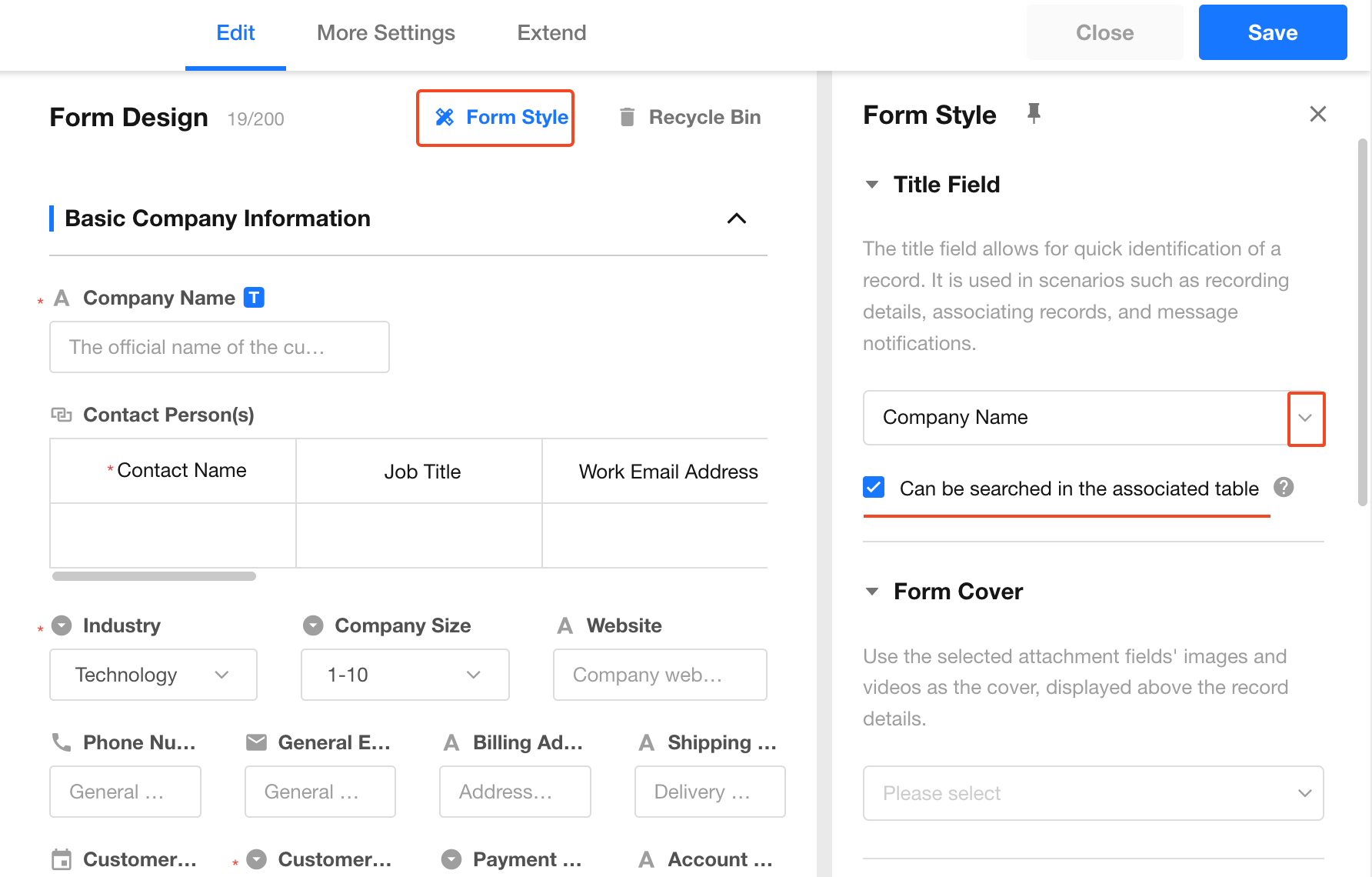
Searchable in Related Worksheets
When the current worksheet is linked to another worksheet, the title field of the related record can be searched.
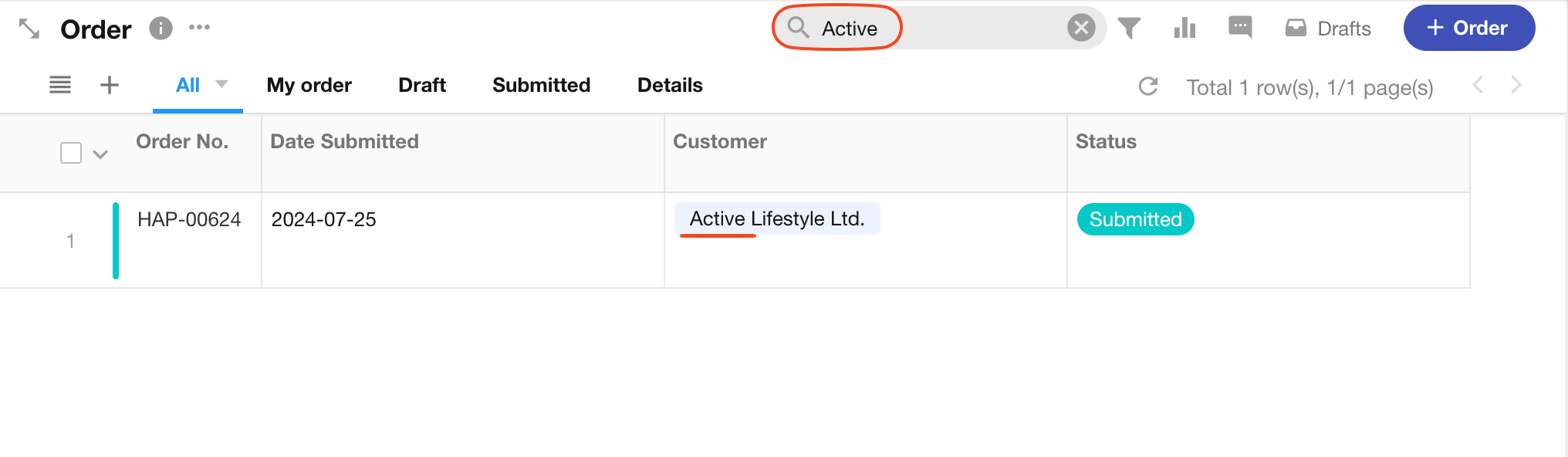
Example:
If the Order worksheet is linked to the Customer worksheet, you can search orders by Customer Name within the Order worksheet.
If you want to disable this behavior, uncheck "Searchable in related worksheets" in the Customer worksheet.
- This feature stores a redundant copy of the related record’s title. If the title changes frequently or this feature is not needed, it is recommended to disable it to avoid unnecessary performance overhead.
- This option is only supported when the title field is a text-type field. It is not supported for concat field, rollup field, or foreign field used as title fields.
Supported Field Types for Title Field
Text-based fields:
- Text
- Telephone
- Concat
- Autonumber
- Foreign field
- ID number
- Rich text
Numeric fields:
- Number
- Currency
- Uppercase
- Formula
- Level
Option fields:
- Member
- Department
- Single select
- Multi select
- Date
- Region/City
- Positioning
Not supported as title fields:
- File
- Rollup
- Relationship
- Cascading
- Check item
- Signature
- Free link
- Section
- Remark
- Subform
Where the Title Field Appears
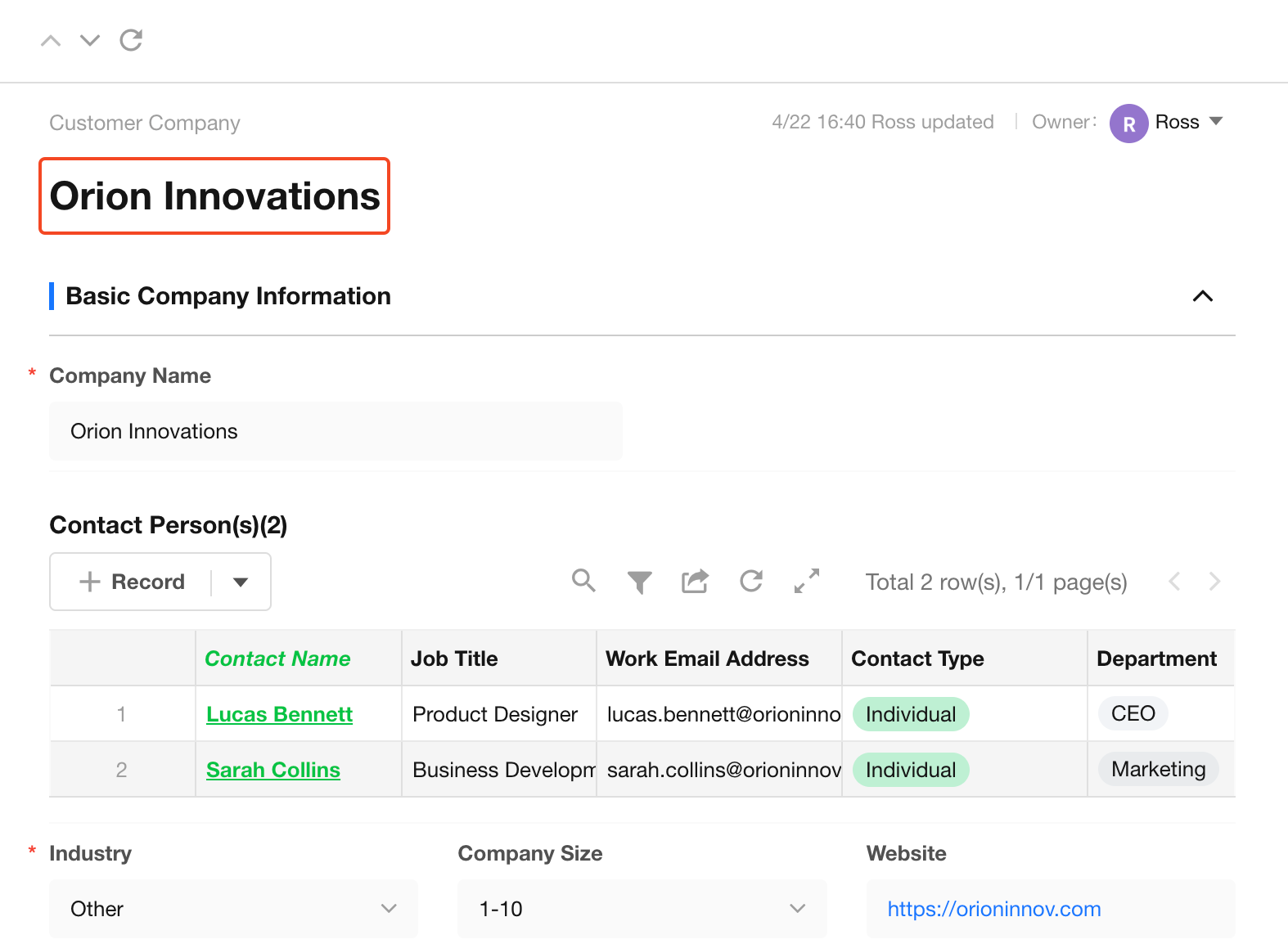
1. Record Detail Page
The title field is displayed at the top of the record detail page.
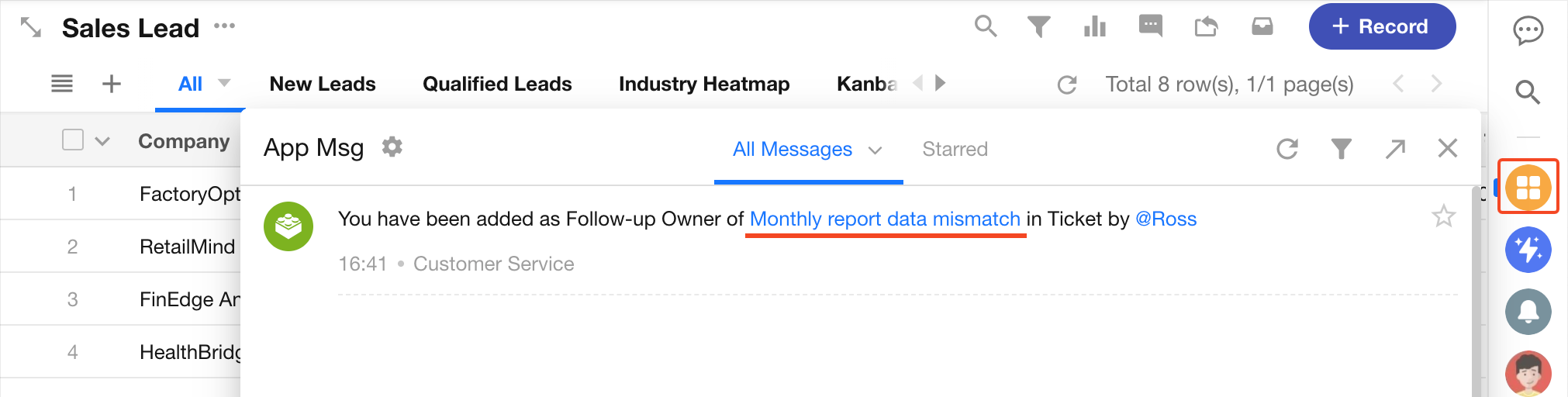
2. Notifications
When users are notified to view or process a record (via workflow or worksheet notifications), the title field is displayed.
3. Relationship Fields
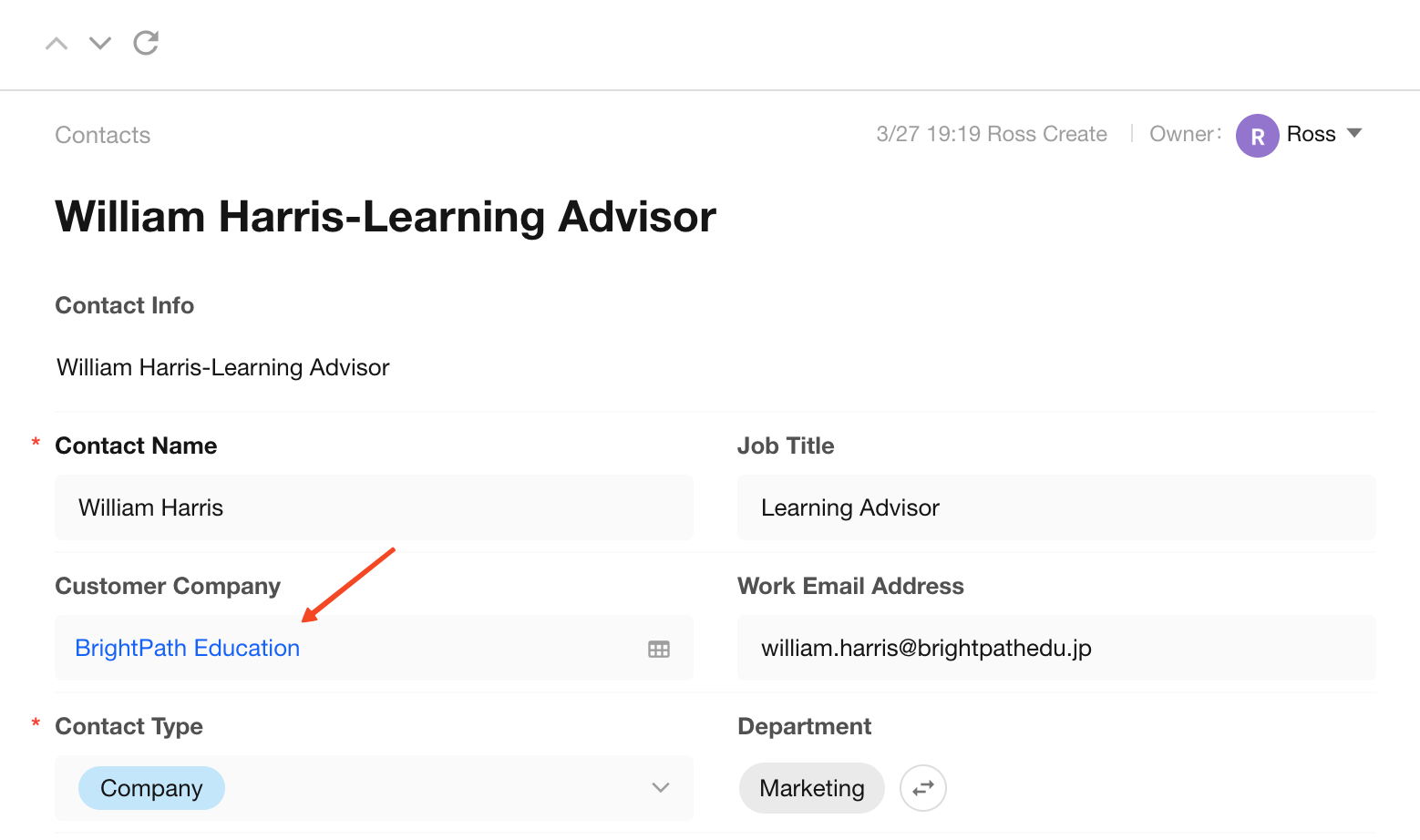
In a relationship field, the displayed value is the title field of the related worksheet.
Example:
If the Contacts worksheet is linked to the Customer worksheet, the relationship field in the order record will display the Customer worksheet’s title field (e.g., Customer Company Name).
Was this document helpful?