Connect a WeChat Service Account
Connecting a WeChat Official Service Account through the organization administration console enables the following features:
- Allow External Portal users to sign in with WeChat by scanning a QR code.
- Retrieve respondents' WeChat information through public forms.
- Enable quick access to WeChat Pay from worksheets.
- Send WeChat Official Account template messages through workflows.
Connect a WeChat Service Account
1. Open the Authorization Page
Go to Org Admin > Integration > System Services. On the WeChat Service Account card, click Authorize.
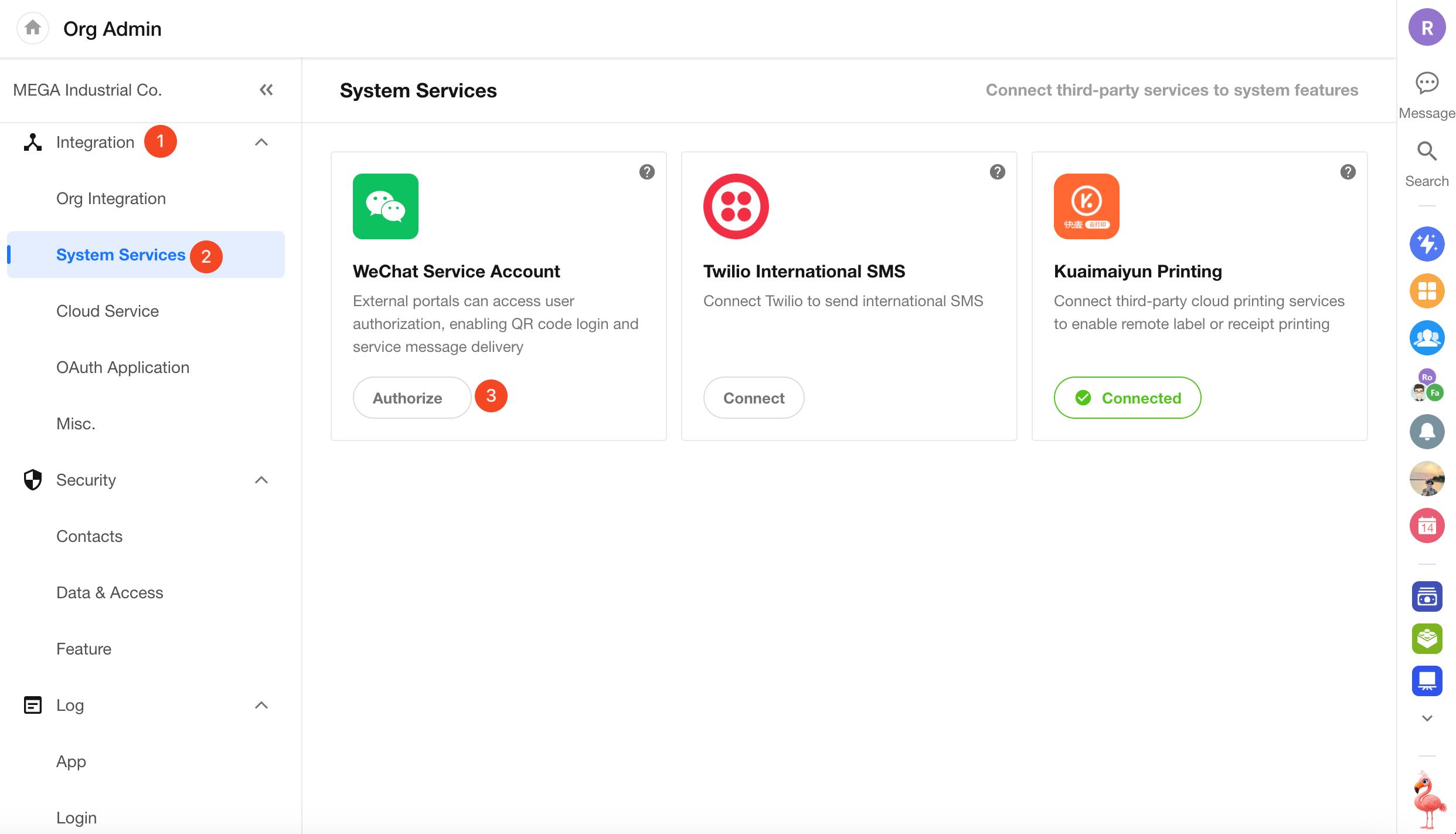
Before You Begin:
-
Account Requirements: A verified WeChat Official Service Account is required. Subscription Accounts are not supported.
If the account is not a Service Account or its verification has expired, the following error appears during authorization:
This service account does not have permission for these scopes. Error code: 10005.
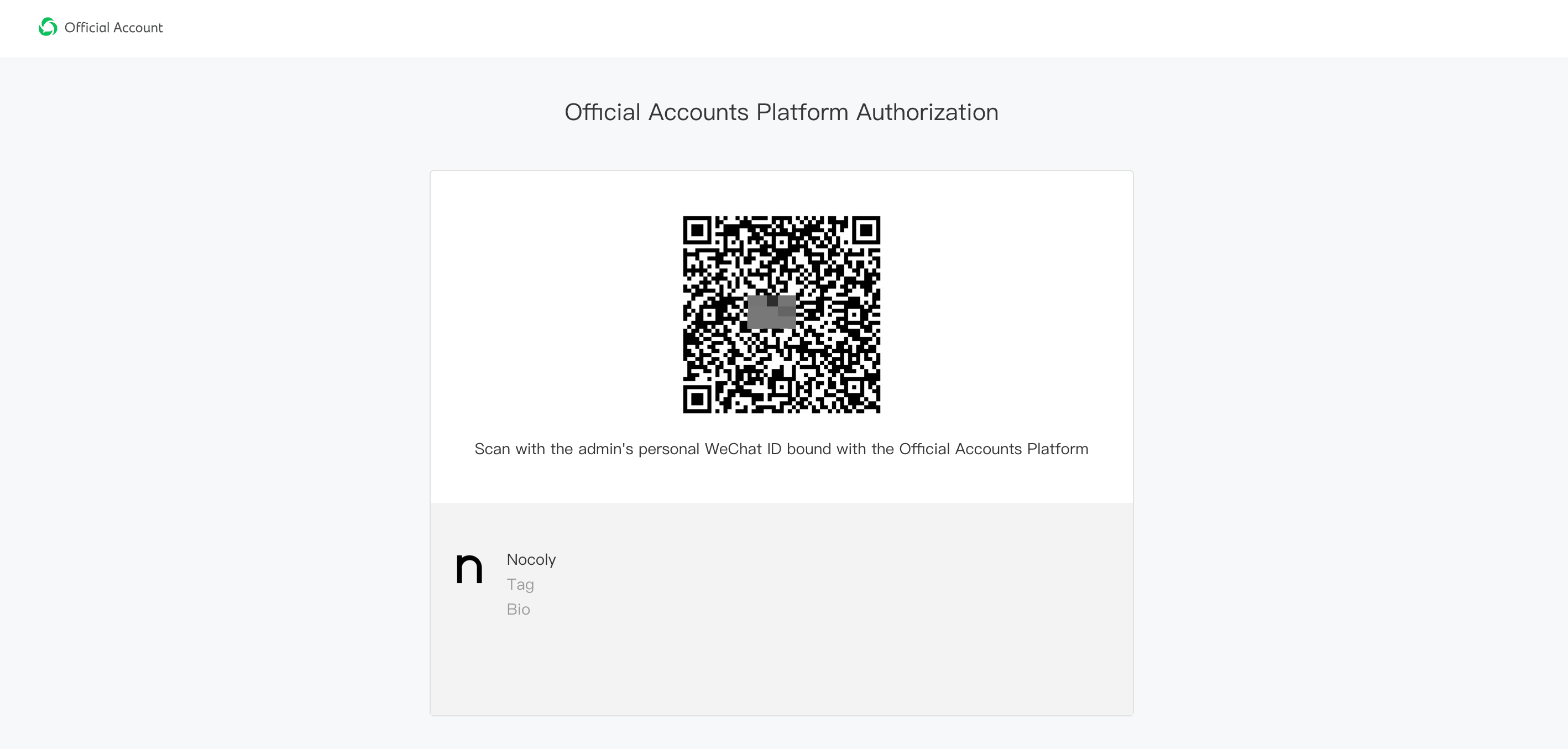
2. Authorize the WeChat Service Account
Use the personal WeChat account of an administrator associated with the Service Account to scan the QR code and complete authorization.
Account Details After Authorization
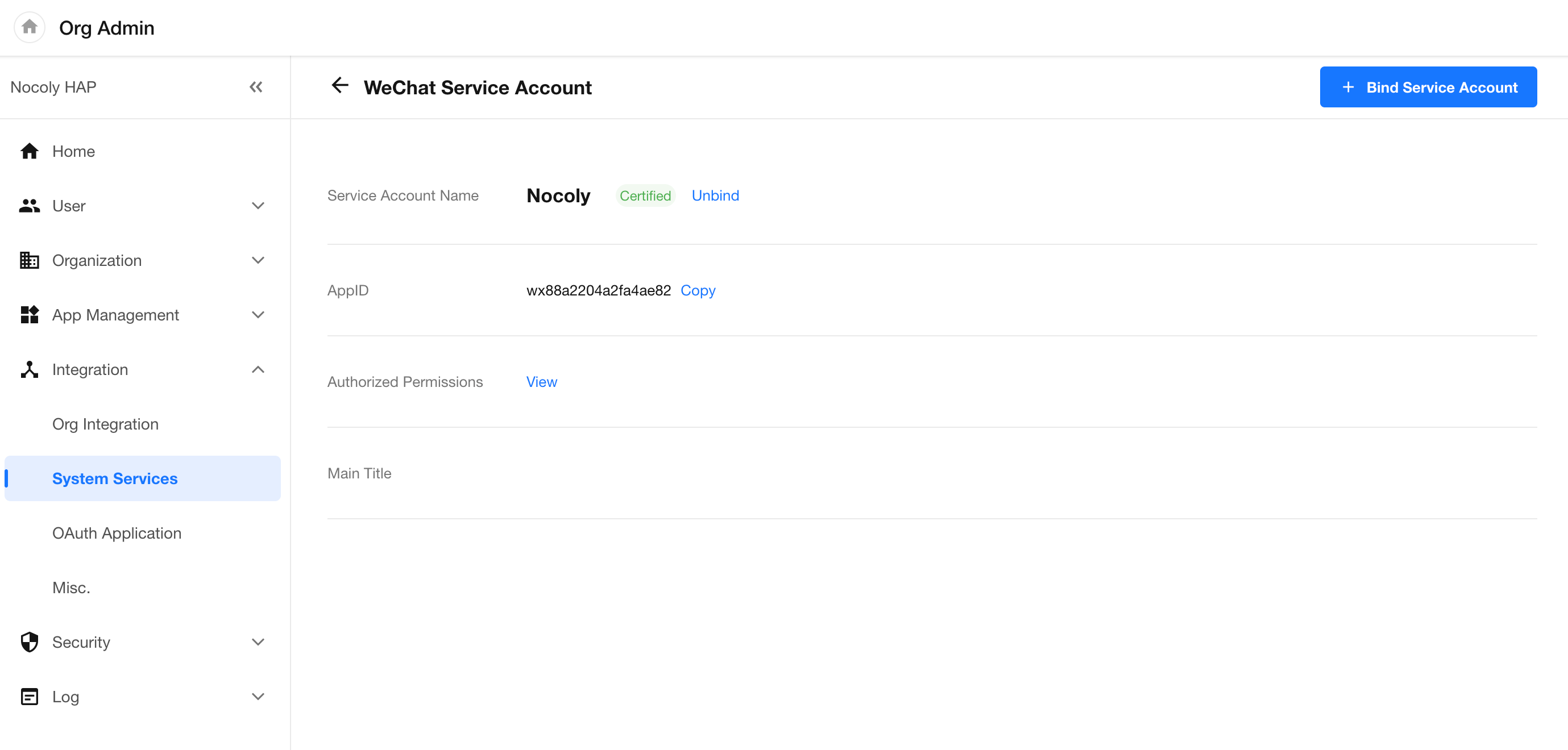
3. Manage Multiple Accounts and Disconnect Accounts
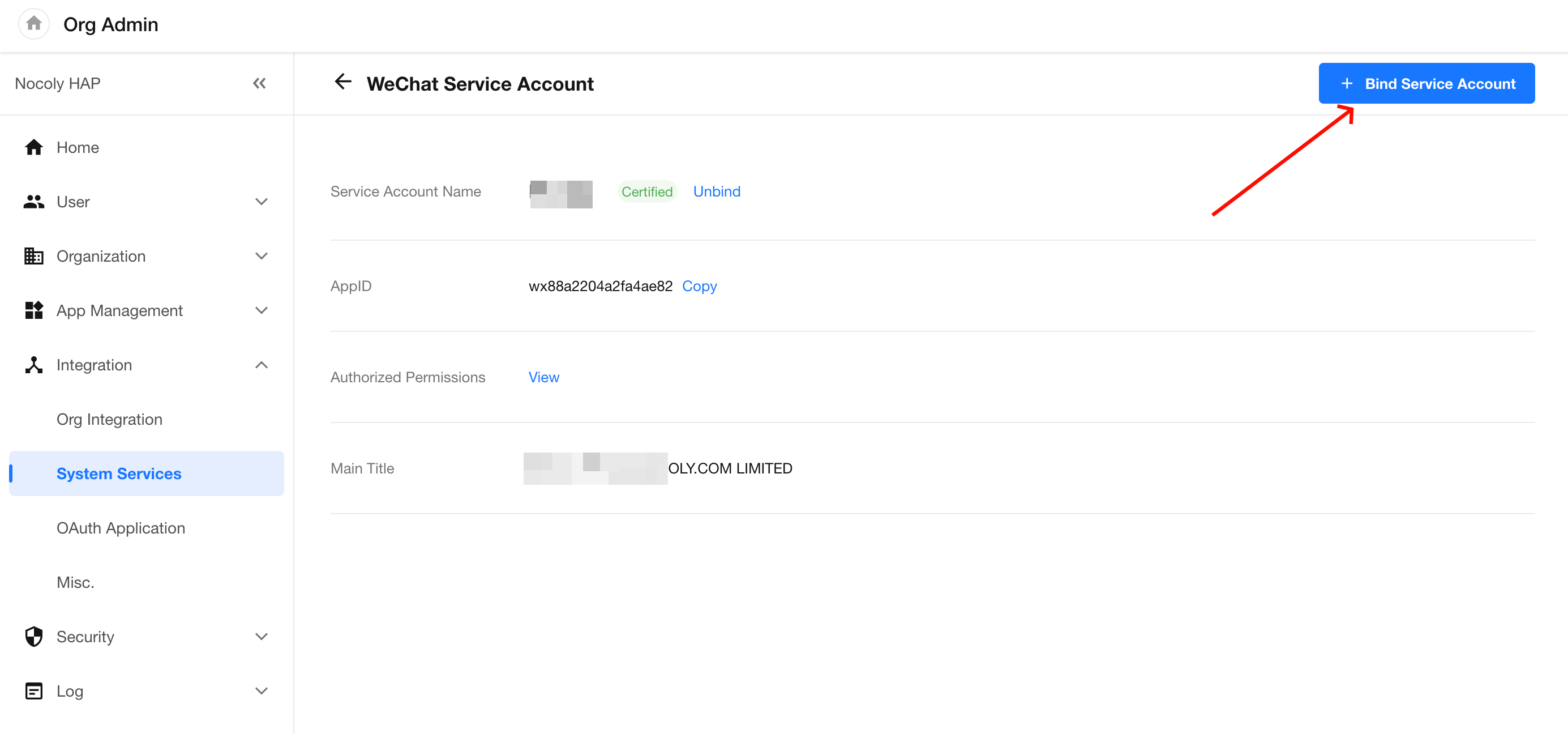
- Connect Multiple Accounts: An organization can connect multiple WeChat Service Accounts. Click + Connect Service Account to add another account.
- Disconnect an Account: Click View on the corresponding Service Account card to open its details, then click Disconnect.
Important Notes
To ensure the integration works correctly, review the following requirements during and after authorization:
-
Grant All Required Permissions: Select all available permissions during authorization, especially Open Platform Permissions, Web Authorization, and User Management Permissions. Missing permissions may prevent HAP from retrieving user information or sending messages.
-
Error Code 10005: This error typically occurs when the Service Account's verification has expired or a Subscription Account was connected instead. If verification has expired, renew and complete the verification process in the WeChat administration console.
-
Template Message Restrictions: Service Accounts that have not completed official WeChat verification cannot send template message notifications through workflows.
-
Reauthorization: You can reauthorize a Service Account if its account type changes or its permissions need to be updated. However, you must reauthorize the same Service Account that was previously connected. Attempting to authorize a different Service Account will fail.
Was this document helpful?